

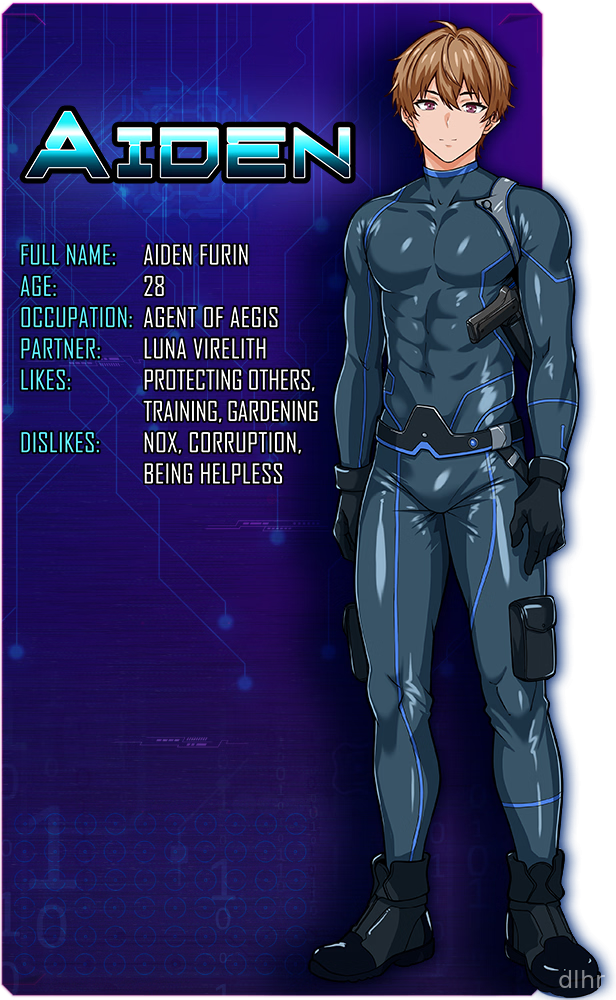



















First look at Falling Undercover - Nox Syndicate Game on Android
Falling Undercover - Nox Syndicate feels like one of those gritty action stories where you’re constantly wondering who you can trust. On Android it plays out as a mix of sneaking, quick reactions and dialogue choices, all wrapped in a darker crime vibe.
You’re thrown into an undercover situation with a shady syndicate, and most of the tension comes from trying not to blow your cover while still doing the “right” thing. Moments swing from quiet, careful movement to sudden bursts of action where you have to react fast or watch things go sideways.
On mobile, the game has a slightly rough indie feel in a good way: you can tell it’s focused on mood and story rather than flashy effects. Expect a more grounded pace instead of constant explosions every second.
What stands out in Falling Undercover - Nox Syndicate’s features
1. Story-driven undercover plot where your choices in conversations and actions shape how people around you see your character.
2. Action scenes that rely on timing and quick reactions, tuned for touch controls so you can play comfortably on a phone or small tablet.
3. Stealth-focused sections that reward patience, watching enemy patterns and picking the right moment to move instead of just rushing in.
4. A darker crime setting built around the Nox Syndicate, with characters that feel shady, unpredictable and sometimes surprisingly sympathetic.
5. Lightweight presentation and visuals that keep the download size reasonable, though they can look a bit basic if you’re used to big-budget 3D games.
Why Falling Undercover - Nox Syndicate can hook you
You’ll probably stick around for the tension between staying undercover and not completely losing your moral compass. That constant push and pull gives the game a nice edge, especially when dialogue options don’t have an obvious “good” answer.
The pacing is tighter than a lot of mobile titles; instead of endless grind, you get focused scenes with clear stakes. That makes it easy to play in short bursts without forgetting what’s going on.
Controls are kept fairly simple, which works well on Android touch screens. You’re not wrestling with a dozen tiny buttons, so you can focus more on reading the situation and reacting.
There are some rough spots though. Animations and transitions can feel a bit stiff at times, and if you’re expecting a huge open world or tons of side modes, you might feel limited by the more linear structure.
How the gameplay flows during a typical session
You usually start a session dropping straight back into a scene: maybe a conversation with a syndicate member, maybe sneaking through a guarded area. No long menus, you’re just back in the story.
Early on you’re mostly learning who’s who and how the touch controls respond. After a couple of missions, the game starts throwing trickier choices and tighter timing windows at you, so you can’t just tap randomly and hope for the best.
Most missions alternate between dialogue, movement and short action bits. That variety keeps things from feeling like a pure tap-fest, even though the overall structure is still pretty straightforward.
On the technical side, it runs fine on mid-range Android phones, with only occasional frame hiccups when a lot happens at once. Battery drain seems moderate, nothing crazy, which is nice if you’re playing on the go.
If you’re into long grinding progression systems or endless loot, you won’t find that here. It’s more about seeing where the undercover story goes and replaying scenes to try different approaches.
Final thoughts on Falling Undercover - Nox Syndicate
Falling Undercover - Nox Syndicate is a good fit if you like story-heavy action games and don’t mind that it feels more indie and focused than massive. The undercover angle and crime setting give it a distinct mood that works well on a phone, especially for late-night sessions with headphones.
If you’re chasing ultra-polished graphics or dozens of multiplayer modes, this probably won’t be your main game. But as a compact undercover action story you can carry around on Android, it does its job and has enough tension to keep you curious about the next scene.








Comments