

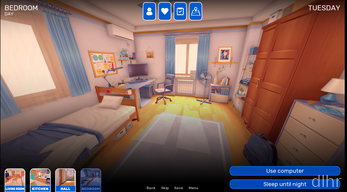
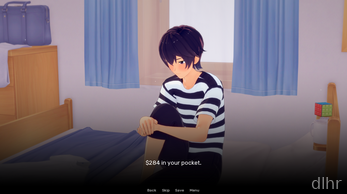
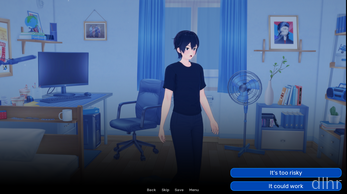

Dream Journey Game on Android – a quiet little adventure
Dream Journey feels like one of those games you open late at night when you’re too tired for sweaty multiplayer, but still want a bit of story and exploration. The pace is slow, almost sleepy, and that actually fits the name. You wander through dreamy scenes, tap through events, and let the atmosphere do most of the work.
On Android it runs in a very relaxed way: no crazy UI, no tiny unreadable buttons, just simple interactions and soft visuals. You can easily play it one-handed on the couch or on the bus. It’s more about mood and curiosity than about hardcore mechanics.
Don’t expect console-level graphics or huge open worlds here. Dream Journey feels more like an interactive storybook that happens to be a game, with enough choices and movement to keep you engaged for a few sessions at a time.
What Dream Journey actually offers feature-wise
🌙 You move through a series of dreamy locations, each with its own small events, characters, and bits of story to uncover. It’s linear enough to be easy to follow, but there are side paths if you like poking around.
🎮 Controls are kept very simple: mostly taps and light swipes. No awkward virtual joysticks, so it works fine even on smaller Android phones and older devices.
🎵 The audio leans into calm, ambient tracks and gentle sound effects, which makes it surprisingly good as a wind‑down game before bed. Headphones help, but it’s still pleasant on phone speakers.
📚 The story is the main hook, with dreamlike scenes and slightly mysterious characters. It doesn’t explain everything, which some people will love and others might find a bit vague.
⚠️ One thing to note: some sequences can feel repetitive if you’re expecting big gameplay twists. You’re mostly walking, reading, and tapping choices rather than mastering deep systems.
Why Dream Journey stands out a bit
There’s a certain calm confidence to Dream Journey. It doesn’t try to be everything at once, and that’s refreshing. You’re not bombarded with pop‑ups, timed events, or ten different currencies. You just…walk, read, and enjoy the vibe.
The art style is soft and slightly surreal, which matches the whole dream concept nicely. Even when the animations are basic, the color palettes and backgrounds carry a lot of the atmosphere. It feels like paging through a sketchbook from someone who really likes fantasy worlds.
I also appreciated that the UI doesn’t fight you. Menus are straightforward, text is legible, and loading between scenes is fairly quick. No weird layout bugs or cluttered overlays during my time with it.
There are a few rough edges, of course. Some transitions between scenes feel abrupt, and occasionally you’ll wish for a bit more interaction in a given area. But if you accept that this is more of a gentle narrative experience than a feature-packed RPG, it works surprisingly well.
How a typical Dream Journey session plays out
You open Dream Journey, it loads quickly, and you’re dropped back into the last dreamy scene you left. Within a few seconds you’re walking again, poking at objects, and seeing what bit of story unlocks next. It’s very low friction, which makes it easy to play in short bursts.
Early on, the game teaches you the basics almost without tutorials: tap to move, interact with highlighted spots, read the dialogue, then choose where to go next. After that, it mostly gets out of your way. No long mandatory intros once you’ve done them once.
Sessions can be as short as five minutes if you just clear one scene and close the app, or you can sink half an hour moving through several areas in a row. Battery drain felt pretty mild on my phone, probably because the graphics aren’t super heavy and there’s no constant online syncing.
Ads or interruptions weren’t a major problem in my test build, but depending on the release you get, you might see the occasional prompt or extra screen. Nothing game‑breaking, just something to be aware of if you’re very sensitive to that stuff.
Over time the loop is simple: explore, read, enjoy the visuals, move on. If you’re chasing leaderboards or complex builds, you’ll bounce off it fast. If you just want a quiet story to tap through on Android, it fits that niche really well.
Is Dream Journey worth installing?
For me, Dream Journey works as a “mood game” rather than something I grind for weeks. It’s nice to have on the phone for those in‑between moments when you don’t want social media but also don’t want a stressful challenge.
If you like narrative‑driven adventures, light exploration, and a slower pace, it’s definitely worth a download and a relaxed evening. If your idea of fun is fast combat, deep crafting, or competitive play, you’ll probably find it too minimal and should look elsewhere.








Comments