Cube Dash Game on Android – quick thoughts
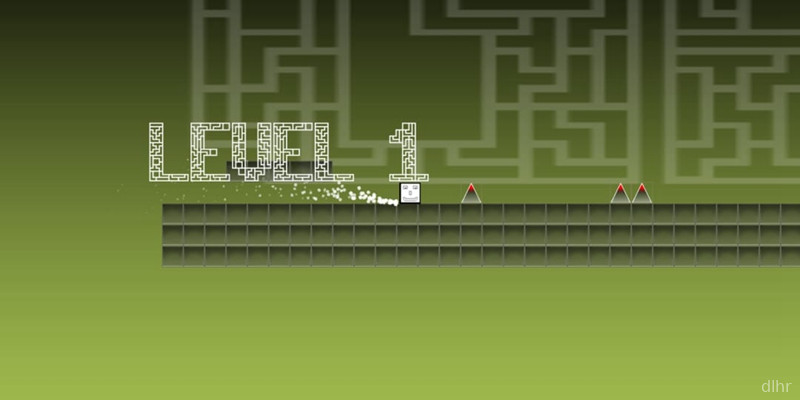
Cube Dash is one of those small Android games you open when you just want to tap a bit and zone out. You guide a little cube through a straight track, dodging obstacles and trying not to mess up. No story, no long tutorial, just straight into the run.
Runs are short and kind of addictive. You fail, you instantly restart, and suddenly ten minutes are gone. The vibe is very minimal: clean shapes, simple colors, and a focus on timing your taps rather than learning complicated controls.
If you like games that feel snappy and don’t need a lot of explanation, Cube Dash fits that mood pretty well.
What Cube Dash actually offers
1. You control a small cube that moves forward automatically, and your only real job is to tap at the right moment to avoid obstacles or change lanes.
2. The game focuses on quick reflexes and pattern recognition, so each run becomes a little challenge to see how far you can go before you clip a wall.
3. Visuals are very straightforward: geometric shapes, clear colors, nothing too flashy, which helps it run smoothly on most Android phones.
4. Cube Dash is clearly built for short sessions, so you can play it while waiting in line or on a quick break without needing to remember complex mechanics.
5. There may be some repetition after a while, since it leans heavily on the same basic idea, but that’s kind of expected for a tiny arcade-style game.
Why Cube Dash can be fun to keep around
Cube Dash leans hard into that old-school arcade feeling where you just chase your own high score. Every mistake is your fault, and that makes the next attempt feel more personal and a bit salty in a good way.
The touch controls feel responsive, which matters a lot for a game that’s basically all about timing. One tap, immediate reaction. No weird delays, at least on the devices I’ve seen it on.
I also like that the UI is not cluttered. Menus are simple and you get back into a new run in a second or two. It respects your time, even if you’re only playing for a couple of minutes.
On the downside, don’t expect tons of modes, power-ups, or deep progression systems. If you need constant variety, it may start to feel samey after a while, but as a pocket time-killer it does its job.
How a typical Cube Dash session plays out
You open Cube Dash, hit start, and you’re immediately thrown into a straight track with your cube sliding forward. First few seconds are usually chill, letting you get into the rhythm and understand how the obstacles show up.
After that, the speed and patterns ramp up a bit, and your focus shifts to reading the next obstacle early enough to react. One wrong tap and the run is over, but you’re back into a new one almost instantly, which makes it easy to fall into the “just one more try” loop.
The game doesn’t demand a constant internet connection, so it’s handy for offline moments like commutes or flights. Performance is light too, so it shouldn’t murder your battery or stutter on average Android phones.
Over time you start recognizing some of the patterns, which can make things feel easier but also more repetitive. Whether that’s good or bad depends on whether you want a relaxing reflex routine or constant surprises.
Final thoughts on Cube Dash
Cube Dash is a small, no-nonsense arcade runner that works well if you want something quick and focused on reflexes. It’s not trying to be a huge, complex game, and that’s honestly its strength.
If you like simple endless-style games where you just tap, dodge, and chase a better score on your Android phone, it’s worth a download. If you’re looking for deep progression, story, or lots of unlocks, you’ll probably play it for a bit and move on, but as a lightweight time killer it holds up fine.







Comments